
Appearance
Create a company
A company is the workspace for one customer — its catalogue, orders, branding, and settings all live inside it. Creating one is the first thing you do.
1Open the company selector
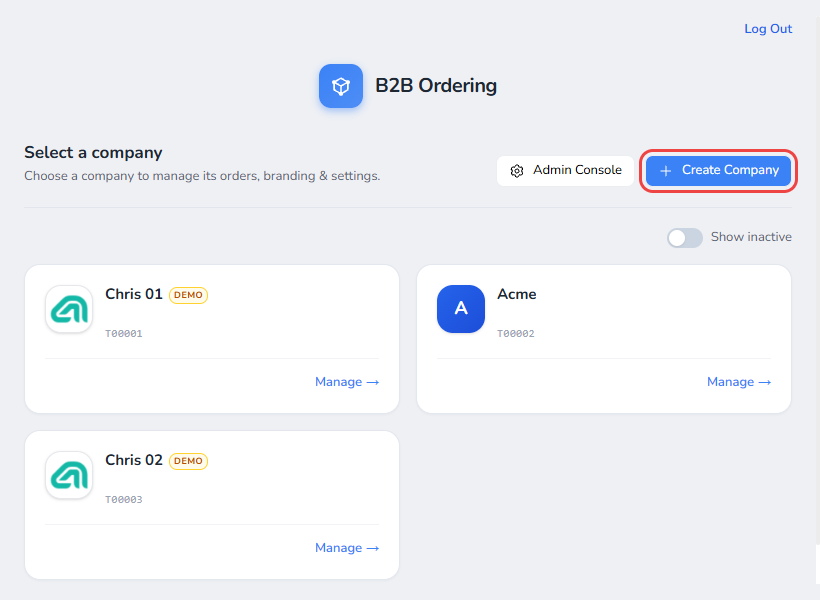
Sign in at backend.b2b.techdevs.com. You land on Select a company, listing every company you manage.
2Create the company
Select Create Company to open the dialog.
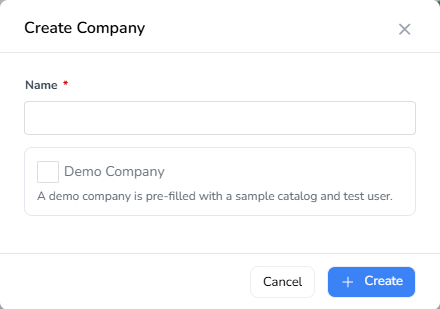
Enter a Name — the only required field. The company code is assigned for you.
What's a demo company?
Tick Demo Company for testing or demonstrations. It arrives pre-filled with a sample catalogue and a test user, and some features are easier to show in a demo company than in a real one. Leave it unticked for a real customer. Learn more about demo companies.
Select Create.
3New company created
The new company opens straight away on its dashboard — the home screen for everything in that company.
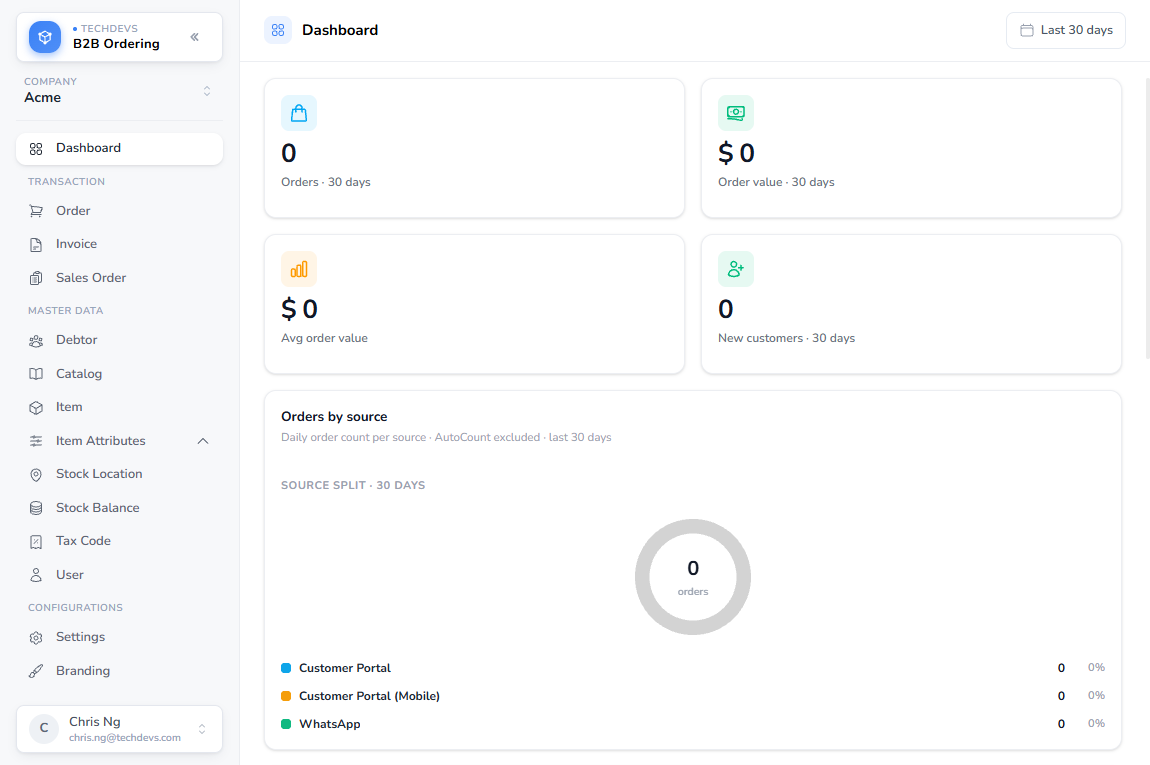
The figures start at zero until orders come in. The left menu is where you work day to day: Transaction for orders and invoices, Master Data for your catalogue and customers, and Configurations for settings, branding, and integrations.
To reopen it later, pick it from the company selector and select Manage.
What's next
A real company starts empty. Next, connect it to AutoCount to bring in your items, customers, and prices.