
Appearance
Demo WhatsApp number
More about WhatsApp ordering
For what the feature does and who it suits — the version to show a customer rather than set up — see WhatsApp ordering on our website.
Every demo company orders over WhatsApp through one number that we run. It exists so you can show WhatsApp ordering without anyone registering a number first.
Setting up WhatsApp properly means creating a WhatsApp Business account with Meta and registering a number to it — worth doing for a real customer, and far too much work to demonstrate the feature. The demo number skips all of it.
For demos only
The demo number is shared by every demo company, so it is never the right answer for a real customer. A real company sends and receives on its own number, under its own Meta account — see Connect to WhatsApp.
Where to find it
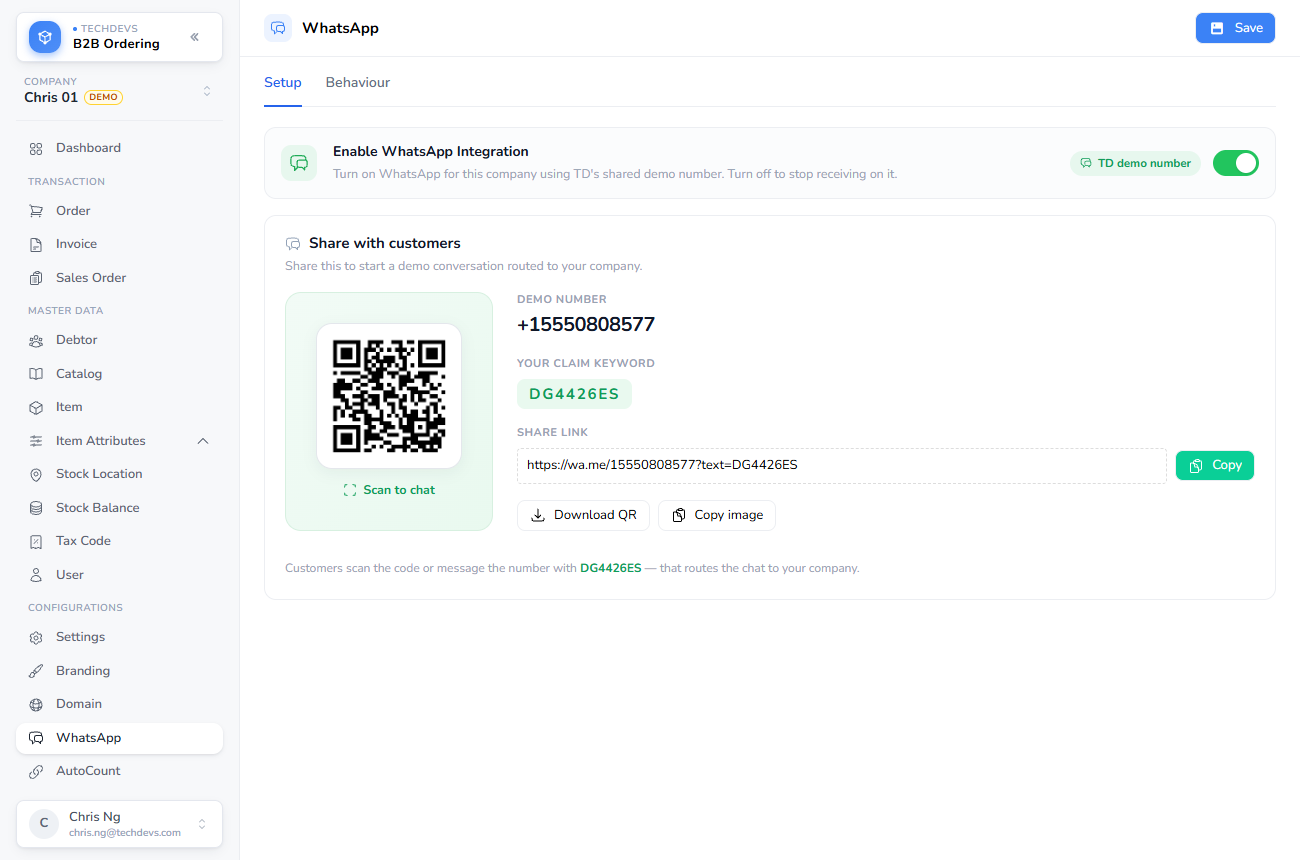
Switch WhatsApp on for a demo company and the details to share are on the same page: the number itself, a QR code, the company's claim keyword, and a link that opens a chat with the keyword already typed.
Starting a demo conversation
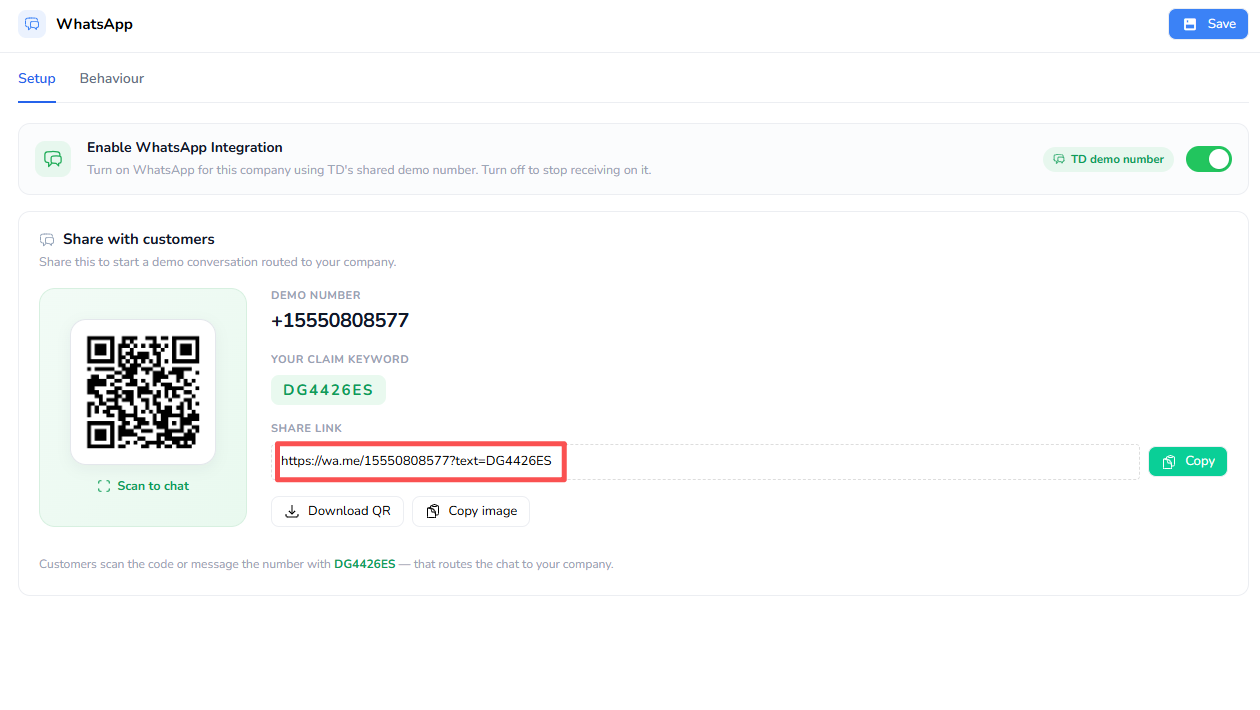
Send the company's claim keyword to the demo number. You can type it, but the QR code and the share link save the trouble — both open a chat with the keyword already filled in.
Send it, and the reply names the company you are now talking to:
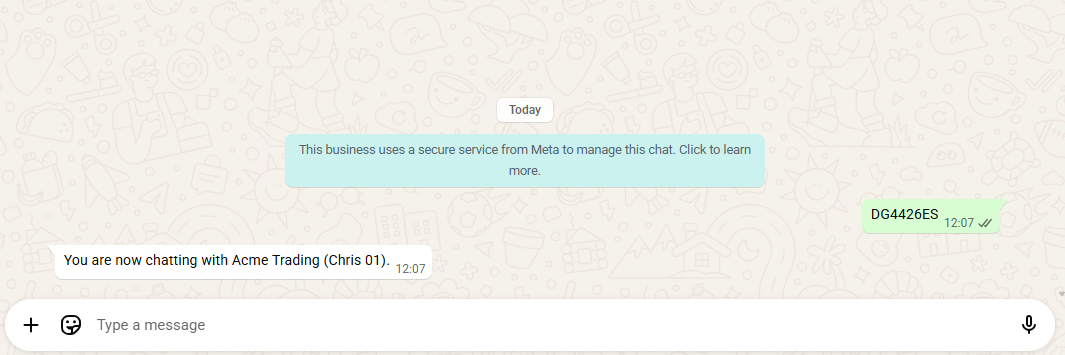
That reply is the whole handshake. Behind it, a demo user has been created from the phone number that sent the message — nobody had to be invited, and there is no password:
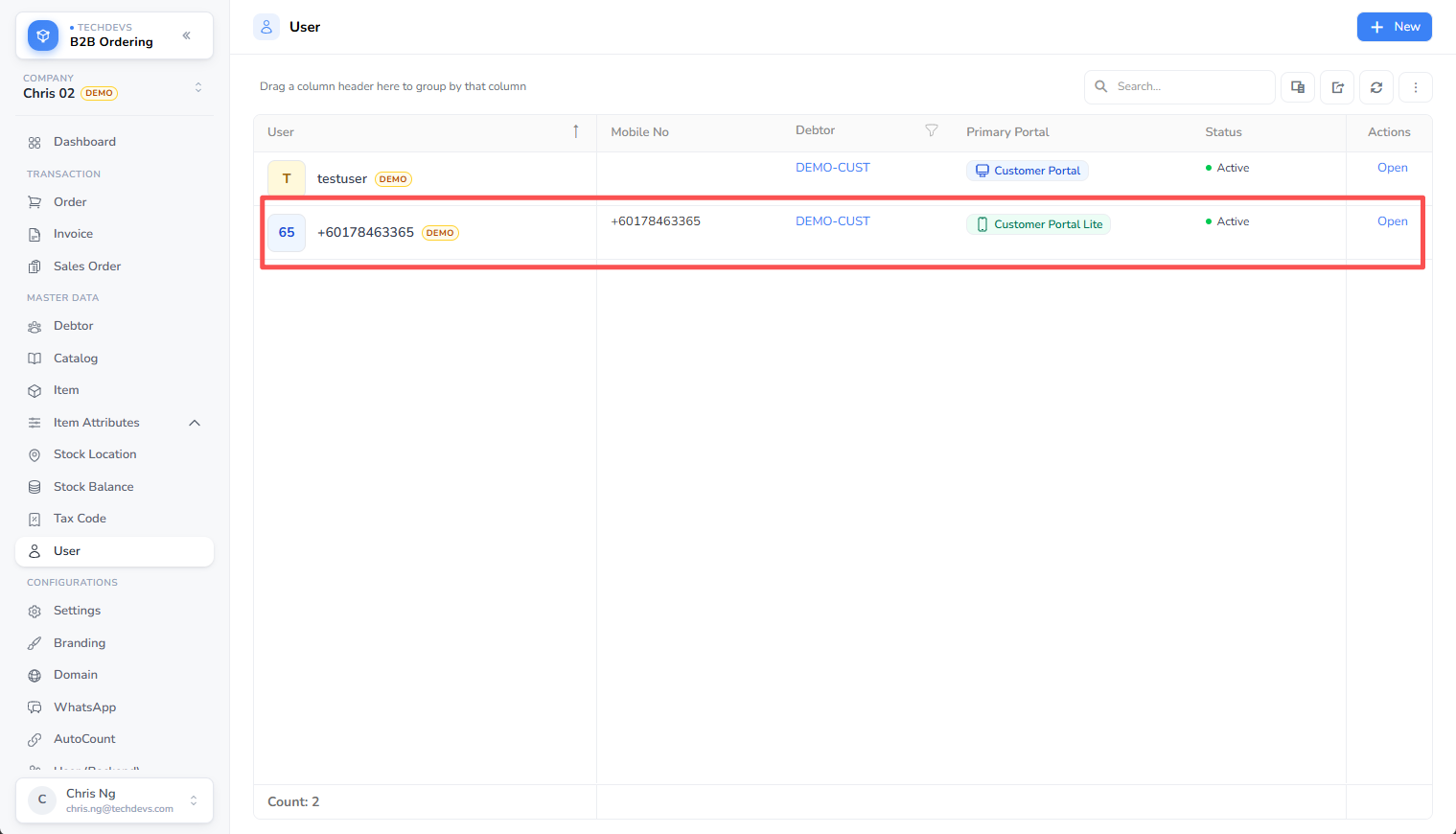
The phone is now bound to that company, and can start ordering straight away.
Why the claim keyword exists
Every demo company shares one number, so a message arriving at it could belong to any of them. The keyword is what tells us which — it is asked for once, at the start, and never again for that phone.
A real company has no such step, because its number belongs to it alone: any message arriving is unambiguous. Setting a customer up there is just creating the user and asking them to message you.
Sending a different company's keyword
A phone belongs to one demo company at a time, and the newest keyword wins. Send another demo company's keyword and that phone moves across: from then on its messages go to the new company, and it is welcomed there as confirmation.
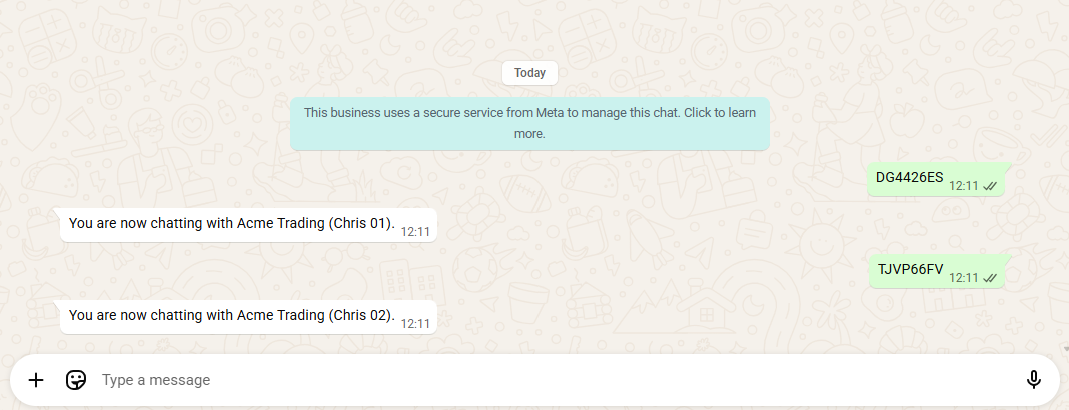
Nothing is lost in the move. The demo user left behind in the first company stays as it was — send that company's keyword again and the phone returns to it, picking up the same user rather than starting over.
Two smaller points worth knowing:
- Re-sending your own keyword does nothing. Scanning the same QR code twice leaves the phone where it is, rather than starting the conversation again.
- The keyword doesn't have to be sent on its own. It is matched anywhere in the message, and case doesn't matter, so a keyword mentioned in passing still moves the phone.