
Appearance
1.20.0
New
- ★Added listings for all your master dataAdmin
- ★Added listings for all your transactionsAdmin
- ·Added creating and editing portal usersAdmin
- ★Added hiding prices from chosen usersAdmin
- ★Added editing your general settings yourselfAdmin
- ★Added online help and guidesAdmin
- ·Added taking a unit off sale from AutoCountAutoCount
- ★Added trying WhatsApp ordering without your own numberWhatsApp
- ·Added a list of what the assistant can do, on requestWhatsApp
Improved
- ★Acknowledged customer messages while the assistant worksWhatsApp
- ·Introduced the assistant once, on a customer's first messageWhatsApp
- ·Showed a DEMO chip on demo records so they are easy to spotAdmin
- ·Showed company names on the debtor page instead of debtor codesPortal
Fixed
- ·Fixed settings pages that could show blank values as if savedAdmin
- ·Fixed order templates that stopped matching after an editAutoCount
- ·Fixed item image replacements that failed to uploadAutoCount
- ·Fixed the dashboard showing RM for every companyAdmin
- ·Fixed WhatsApp settings that could be opened without permissionAdmin
- ·Fixed edits rejected over a field you did not changeAdmin
- ·Fixed unregistered numbers getting a reply to every messageWhatsApp
- ·Fixed saved template lines that vanished when a unit was retiredMobile
- ·Fixed demo products that all showed as out of stockPortal
- ·Fixed enlarged product images that failed to loadPortal
Notes
★1. Master-data listings
The admin portal now lists your master data, so you can check a record without opening AutoCount.
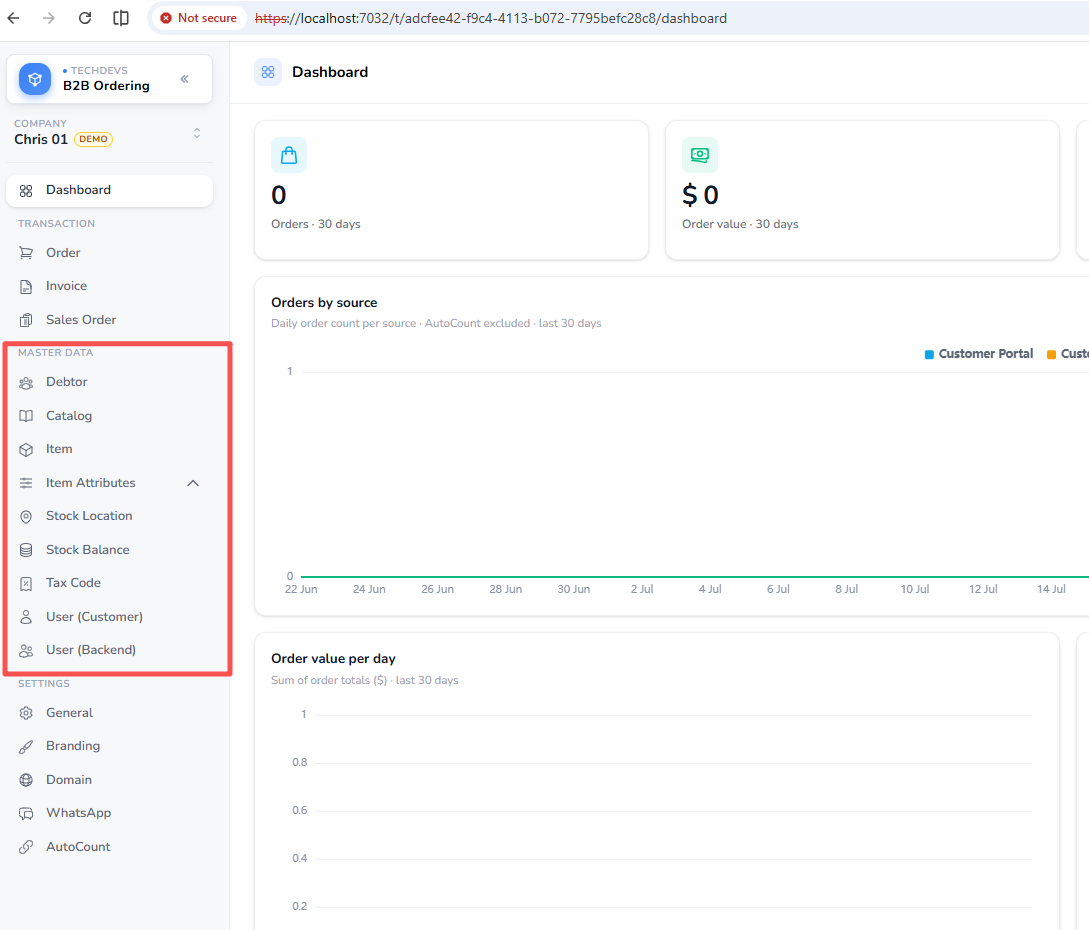
These pages are for looking things up rather than changing them; only portal users can be edited here.
★2. Transaction listings
Your orders, invoices and sales orders each have their own listing.
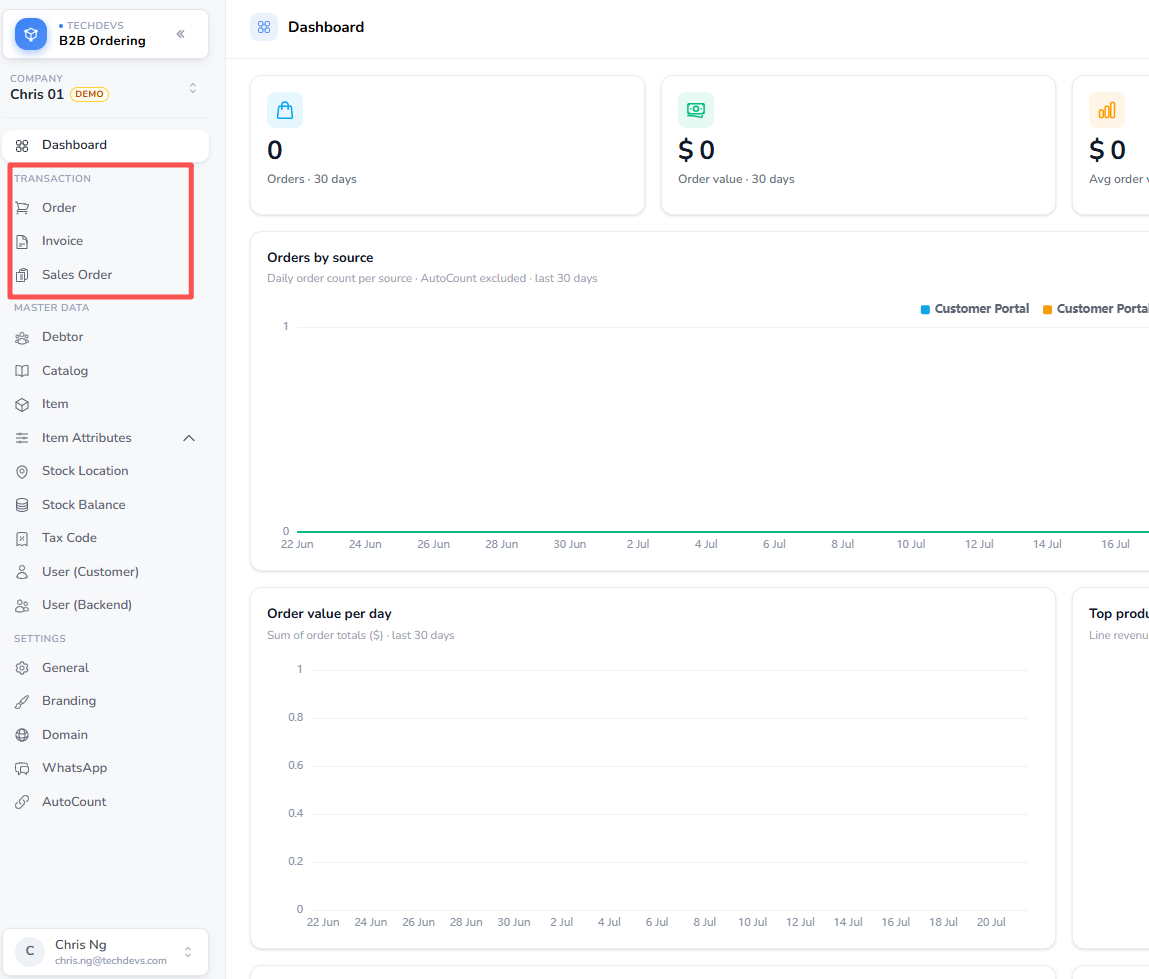
These are read-only — transactions are still created and edited where they always were.
3. Portal users
You can now set up the people who sign in to the ordering portals, rather than waiting for them to arrive from AutoCount.
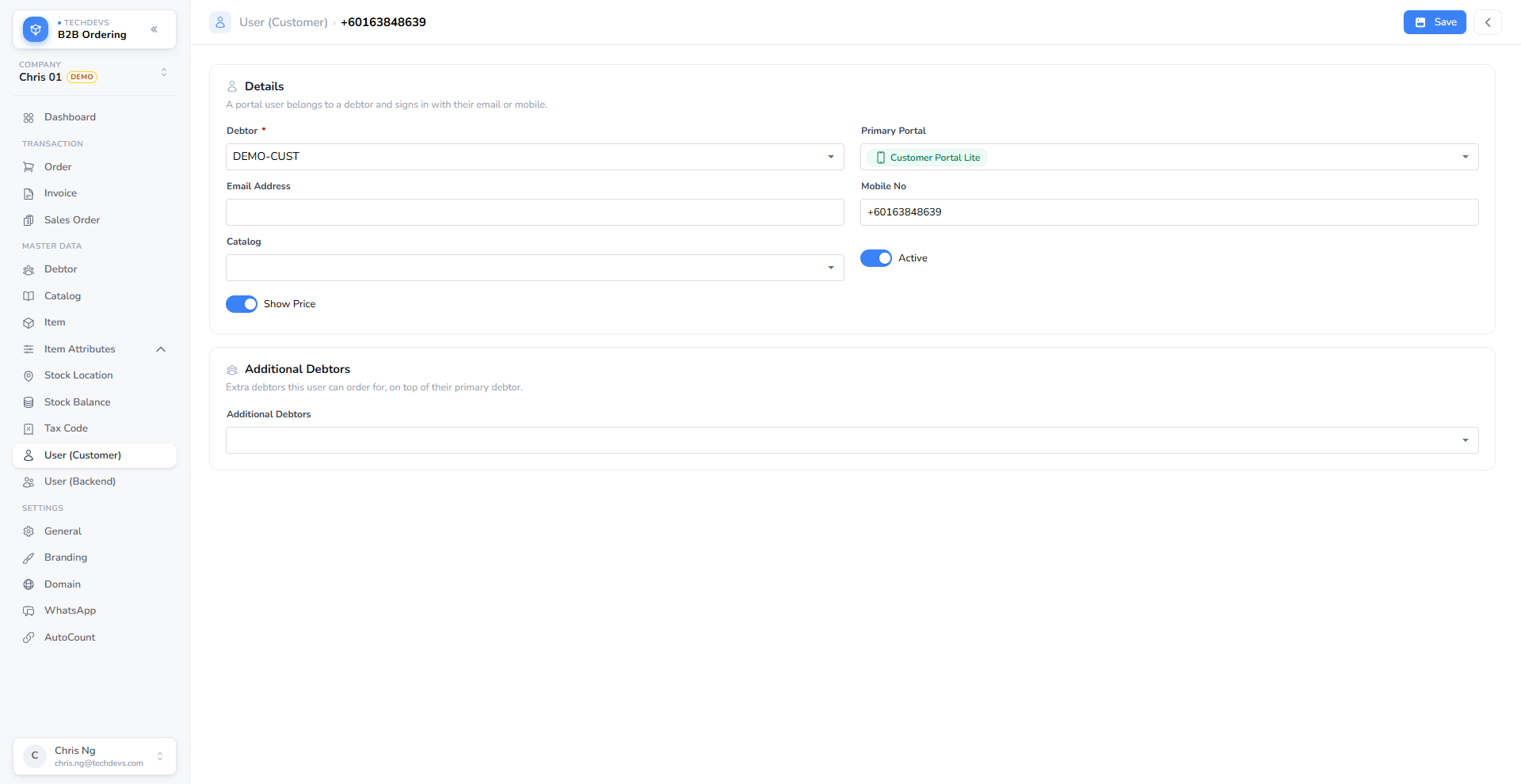
A user signs in with either an email address or a mobile number — one is enough, so a customer who only has a phone can still be set up. Where they have an email address, a button resends their set-password email.
★4. Hiding prices from a user
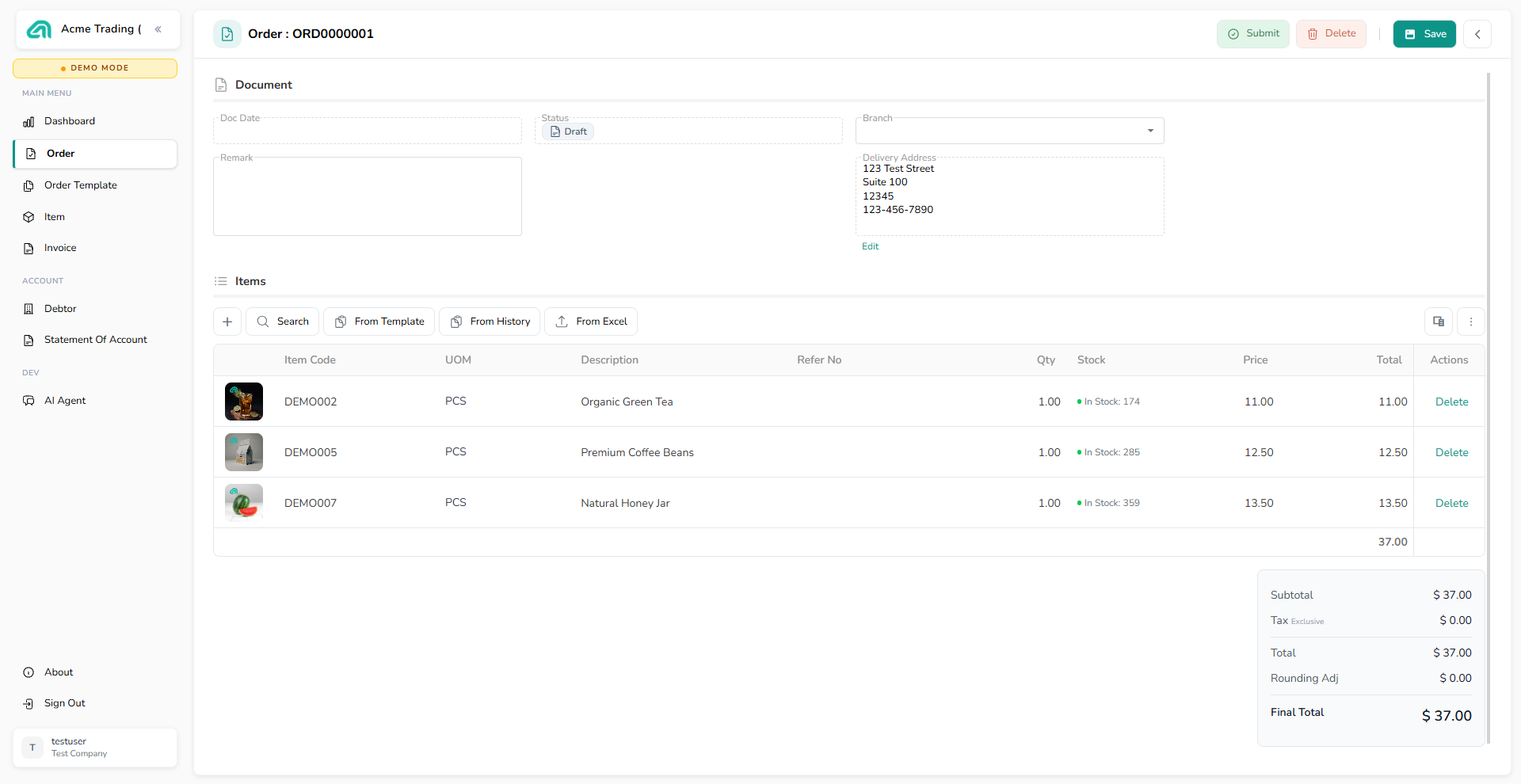
Each portal user now has a Show Price switch on their user form.
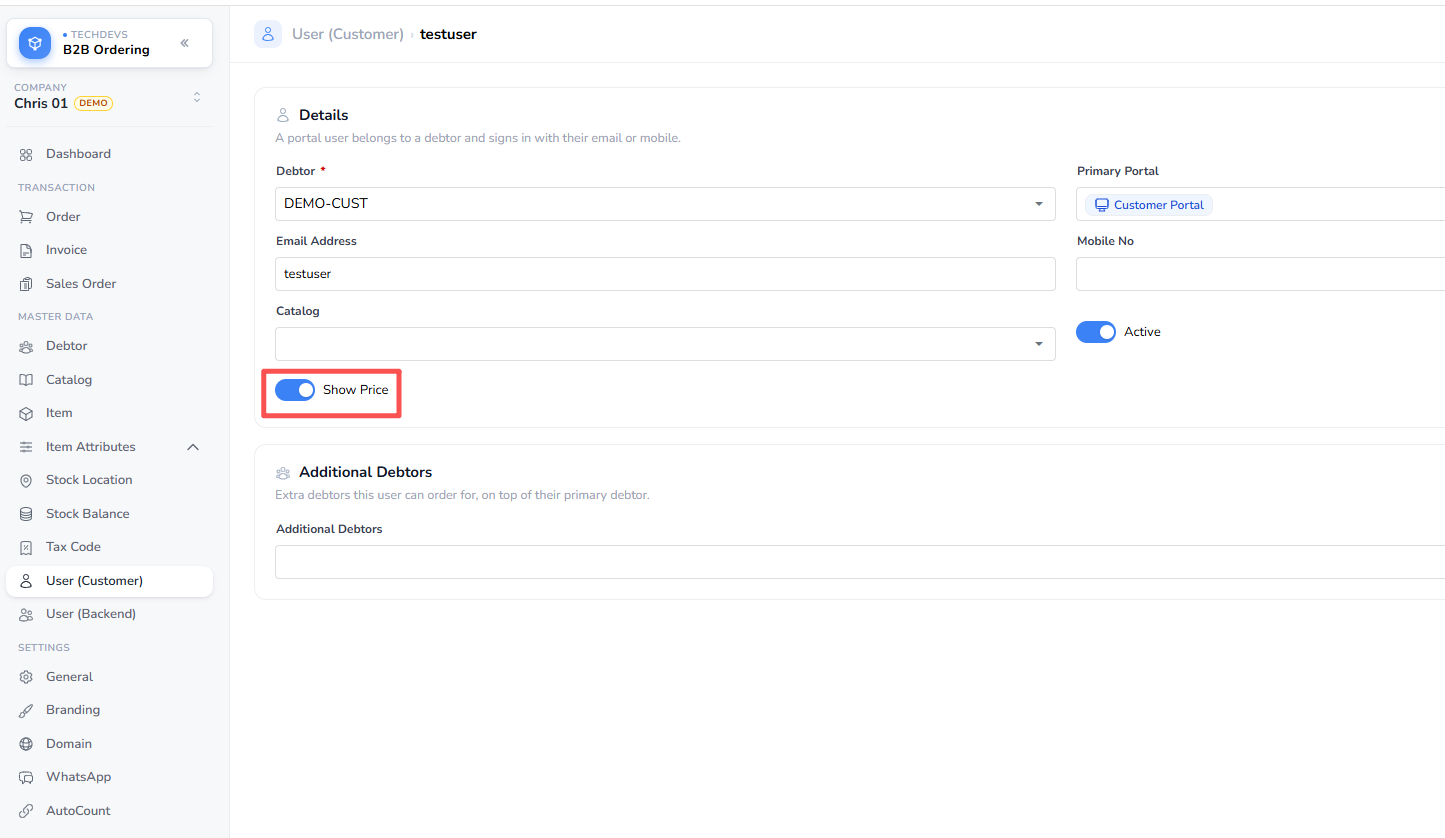
Turn it off and that person can still browse, order and track deliveries, but every price and total is gone — the columns are removed rather than blanked, and Invoices and Statement of Account disappear from their menu.
With prices:
With prices hidden:
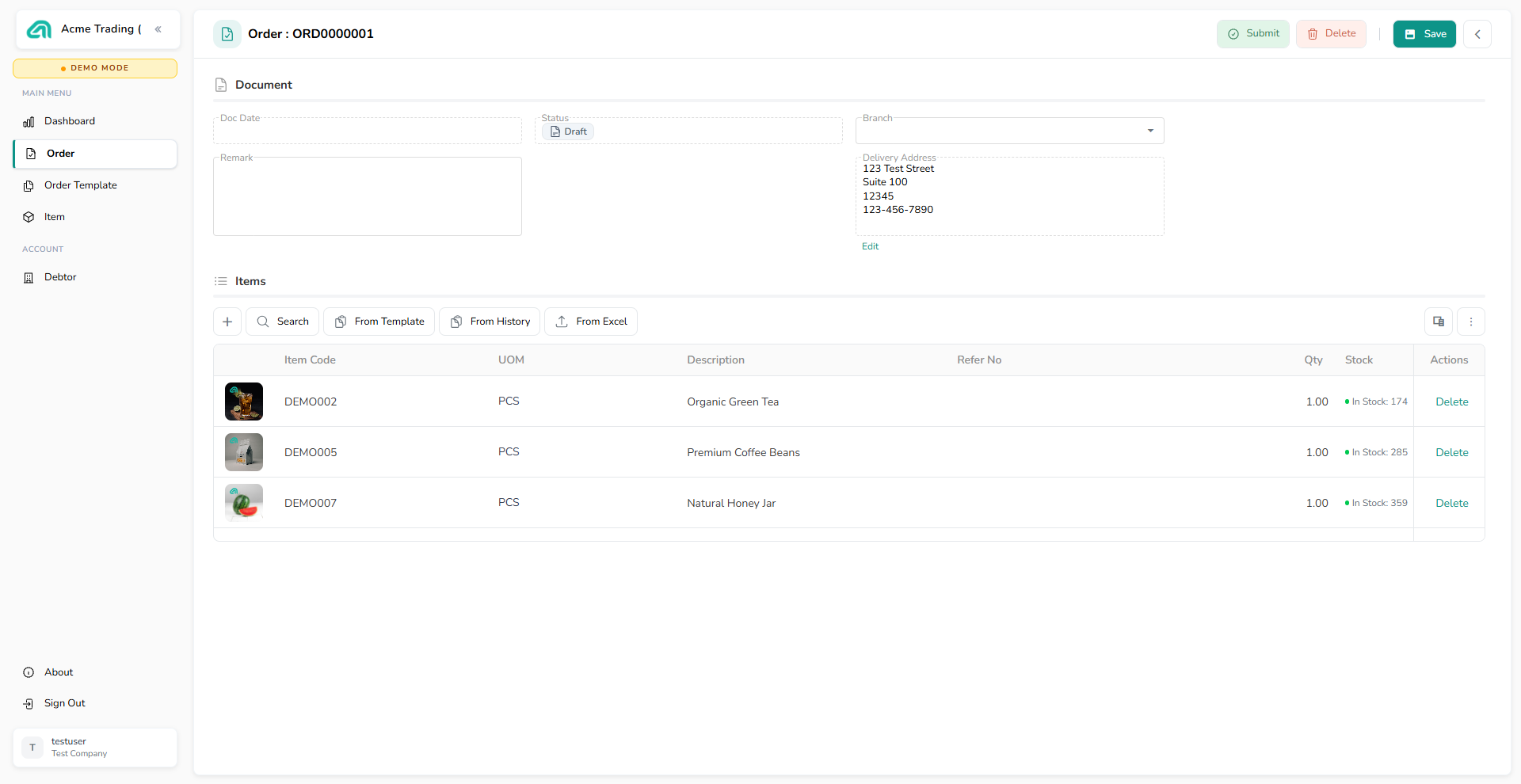
Order confirmation emails arrive without a document link, and their WhatsApp order messages omit the totals. This is aimed at staff who place orders on a customer's behalf without seeing what the customer pays.
The WhatsApp assistant is not covered yet. A user with prices hidden will still be quoted prices if they ask the assistant to search for a product or summarise their cart. That work is scheduled for the next release; until then, treat the switch as covering the two portals and order notifications.
Everyone keeps their prices unless you turn the switch off, and AutoCount cannot change the setting.
★5. Settings now live in the admin portal
Your general settings — currency symbol, stock control mode, which item attributes to show, and the Excel and order-template toggles — are now edited on the Settings page in the admin portal, and they used to be pushed from AutoCount.
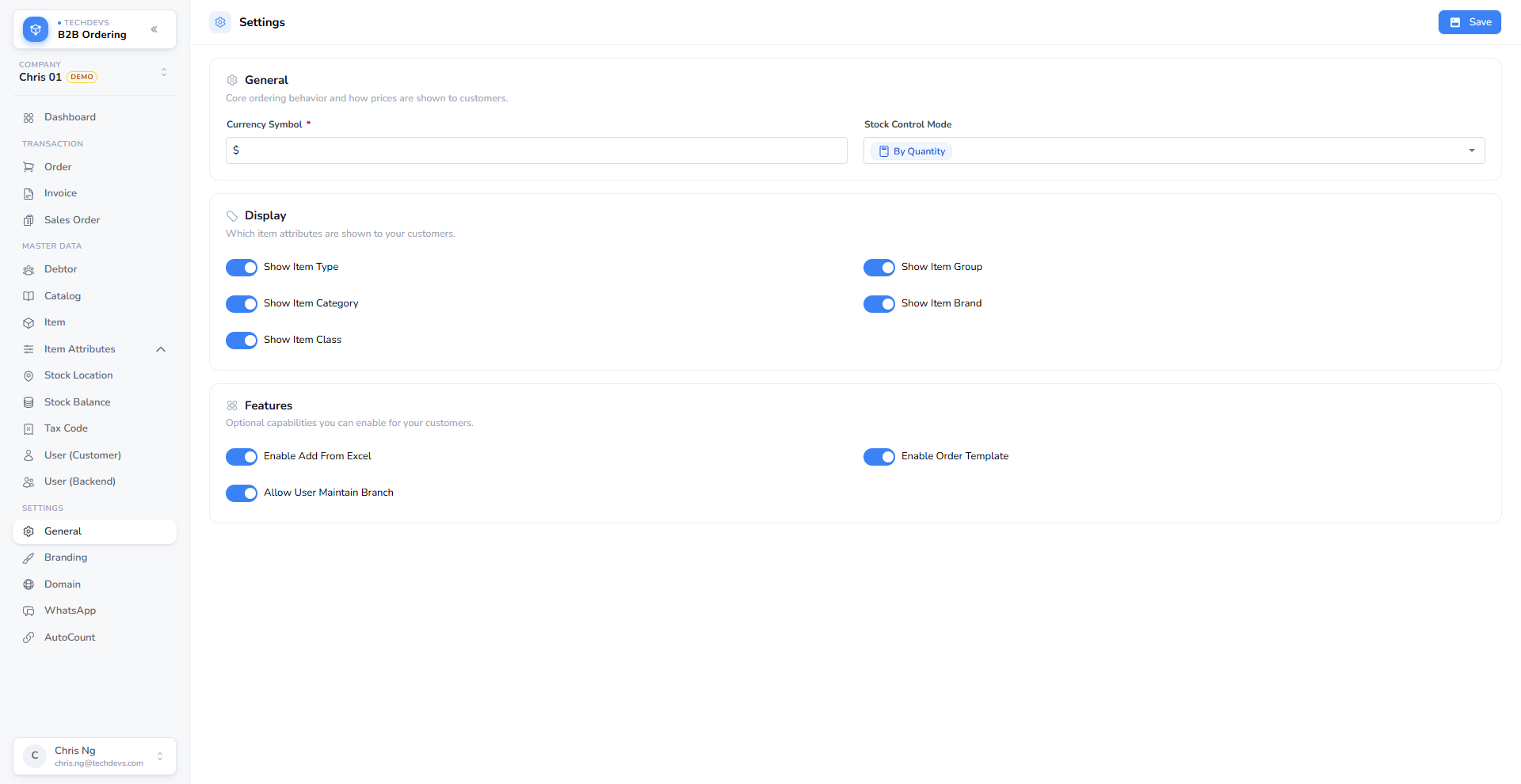
AutoCount can no longer change them. Older AutoCount builds will keep sending settings and will keep receiving a success response, but the values are ignored. If your routine was to change a setting in AutoCount and wait for it to appear in the portal, that no longer works and will not report an error — change it in the portal instead.
Existing companies keep the currency symbol they already had. The logo watermark moved from Settings to Brand Settings, under Assets; your current watermark came across with it.
6. Retiring a unit
Switching a unit of measure off in AutoCount now takes it off sale. Customers stop seeing it when they browse, search or place an order, and it leaves the catalogue on the next sync. Until now only the product itself could be retired this way — a unit you had switched off stayed orderable.
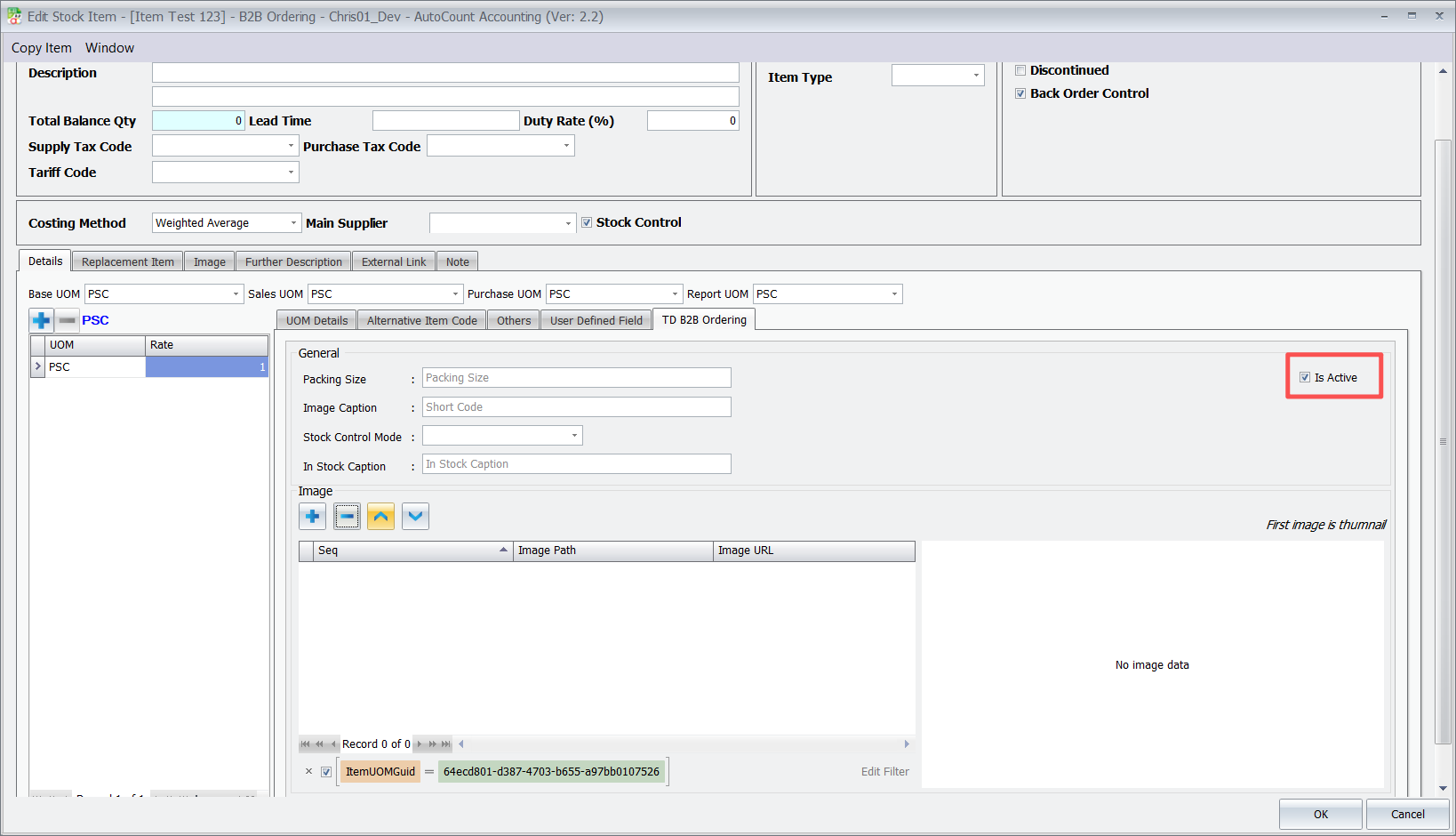
Where the unit retired is the one a product sold by default, the portals fall back to the smallest unit still on sale, so the unit pre-selected on a product may differ from what your customers saw before.
An older AutoCount build that does not send the flag leaves every unit on sale, so nothing disappears until you are ready.
★7. The shared demo WhatsApp number
A company can now be put on our shared demo WhatsApp number instead of registering its own WhatsApp Business number, which makes it possible to show WhatsApp ordering to a customer on the day rather than after a registration.
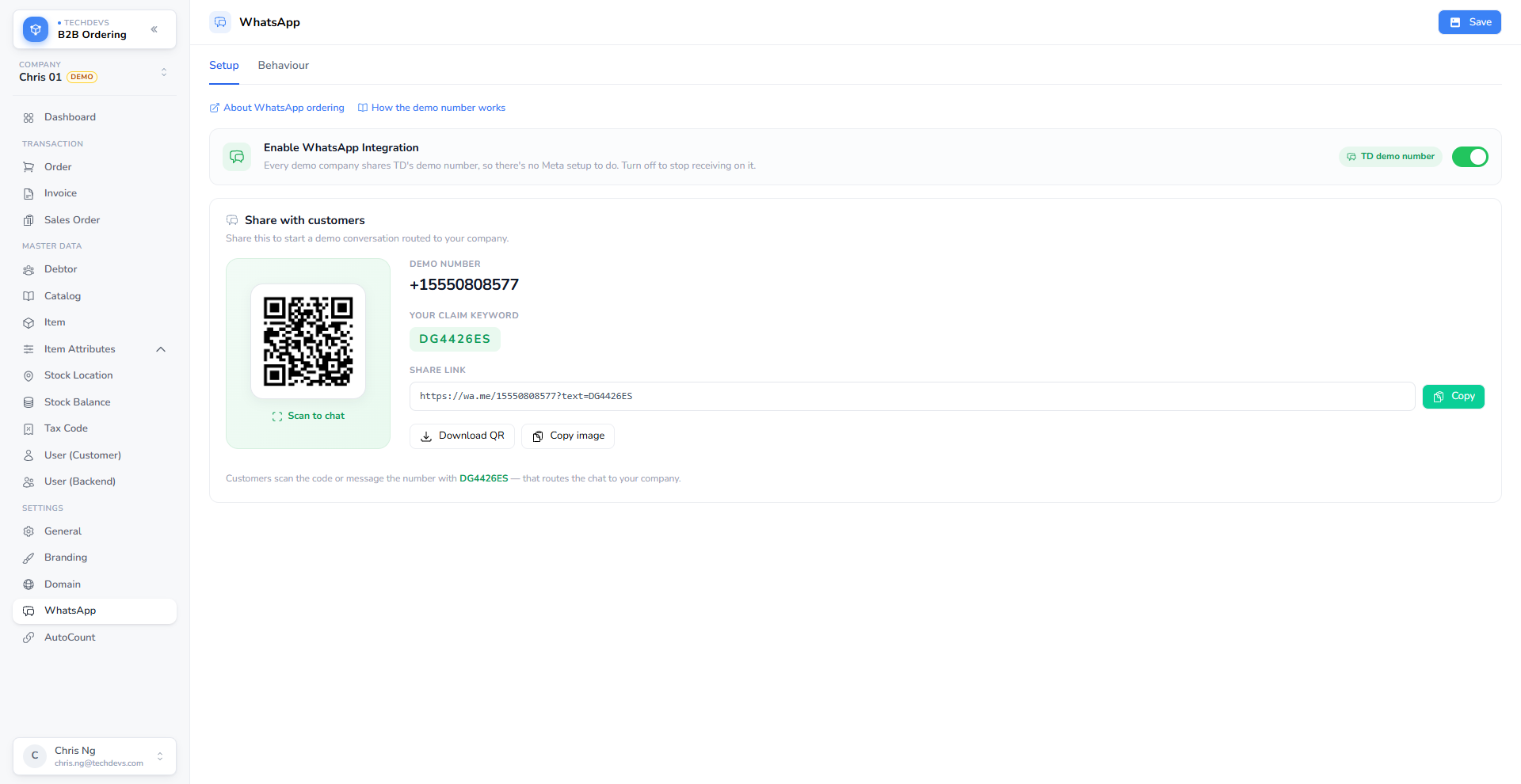
Each company on the shared number gets a short claim keyword. A customer texts that keyword to the number, gets a confirmation naming the company, and everything they send afterwards goes to that company. Texting a keyword also signs the customer up, so they can order straight away rather than being told they have no account.
How the demo number works covers sharing it, what your customer sees, and what happens when someone sends a different company's keyword.
8. What the assistant can do
A customer who asks what the assistant can do gets the same card back.
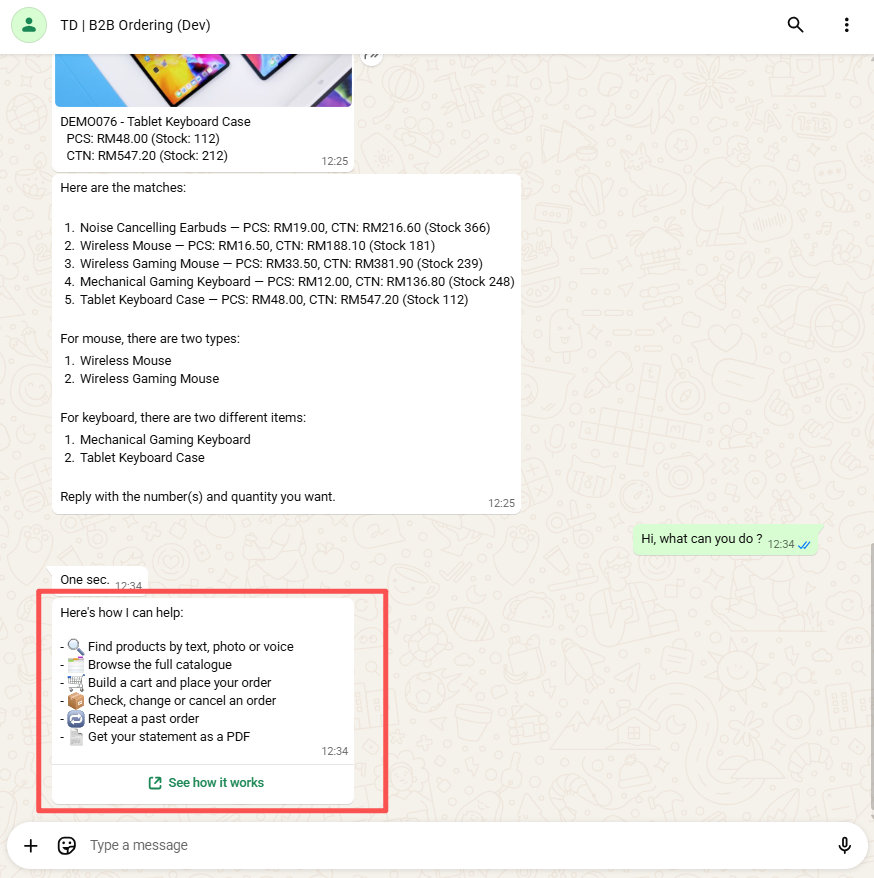
Before, the assistant answered in its own words each time, which meant it could offer things it cannot actually do. The card is fixed text, so what a customer is promised is what they get.
★9. Acknowledging a message
Looking something up can take a moment, and the chat used to sit silent while it happened. Now the customer's message is marked read and given a reaction as soon as it is accepted, and the assistant sends a short line to say it is working before the answer arrives.
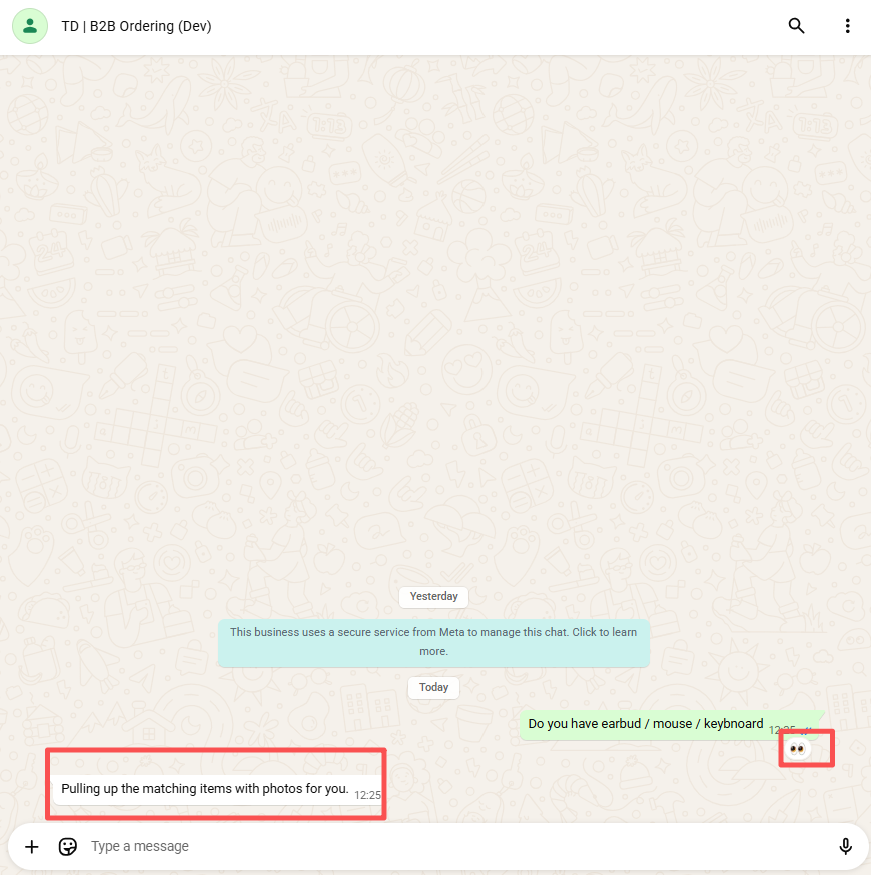
A message the assistant will not answer — an unregistered number, or one sending faster than the limit — is deliberately left unacknowledged.
10. The first message
The first time someone messages a company, the assistant introduces itself — naming the company and saying what it can handle.
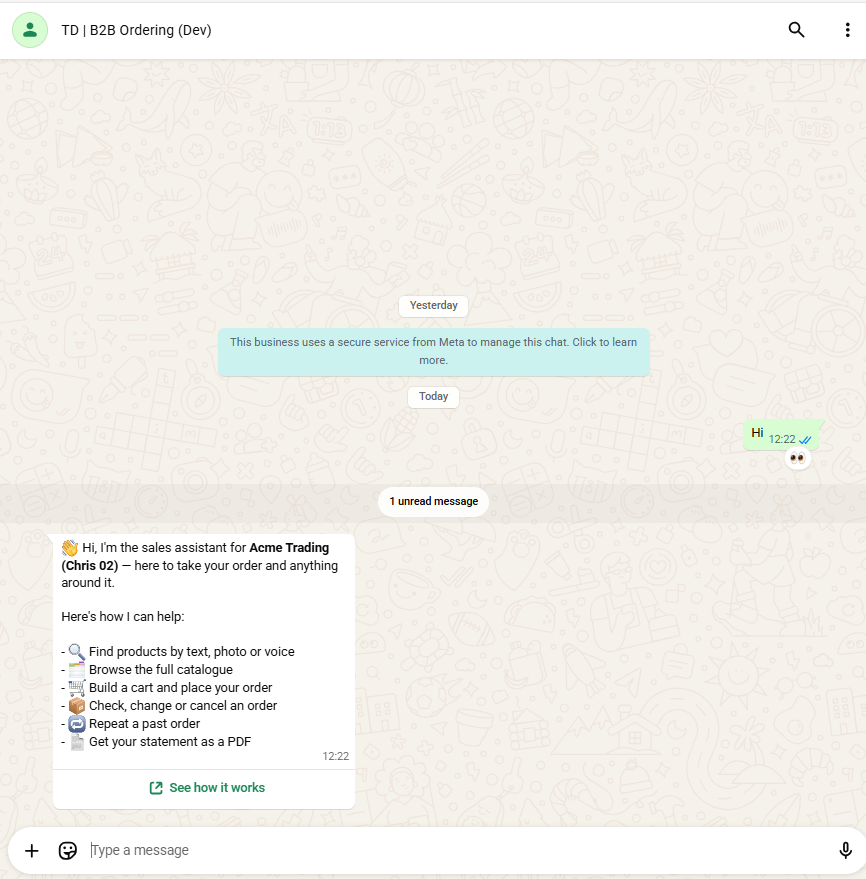
It happens once per customer, ever. Before, the introduction was left to the assistant's own judgement, so it could be missed, or repeated to someone it had just been helping.